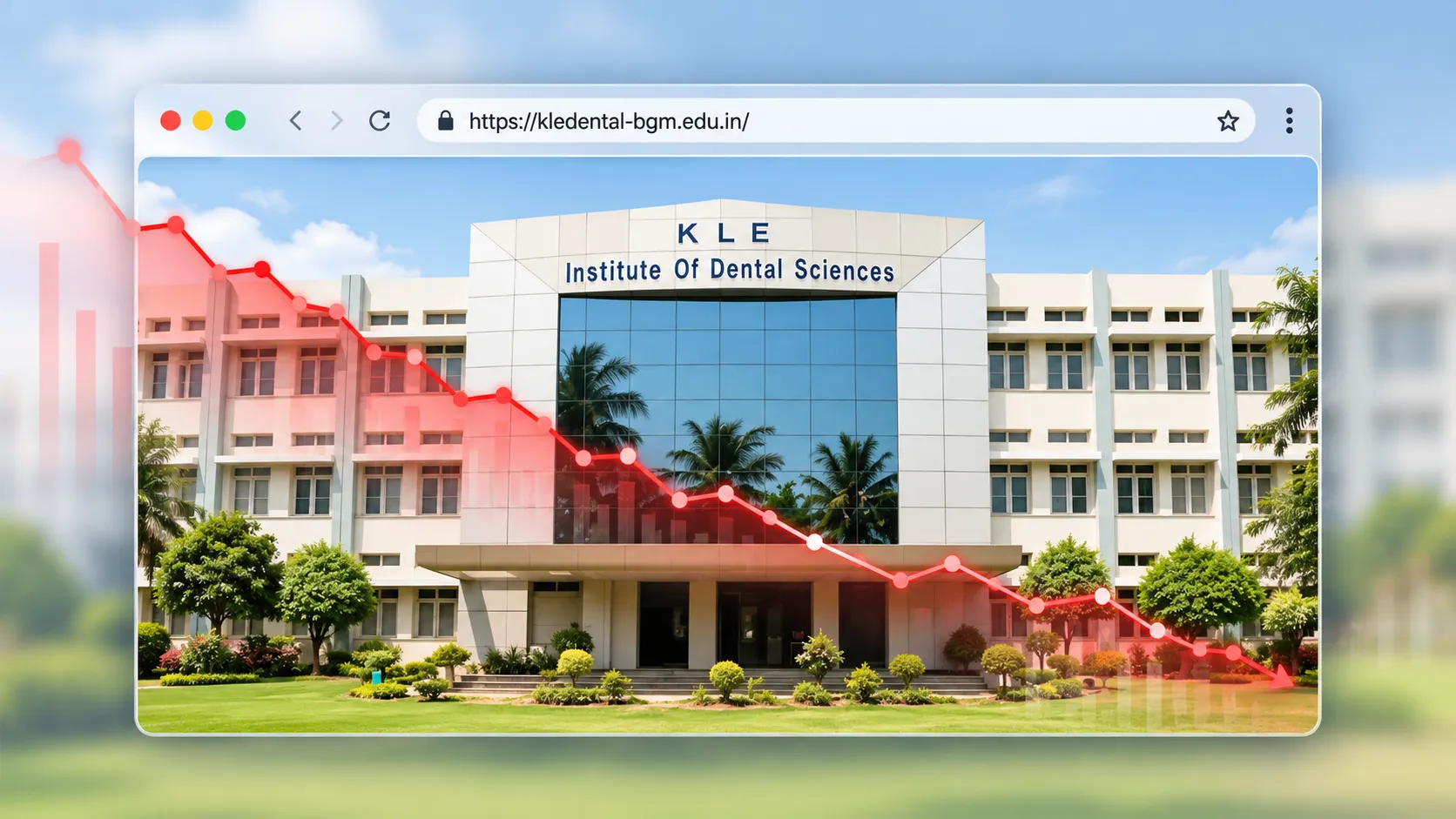
A website doesn’t need a redesign simply because it looks old. Sometimes the real problem is much deeper.
There is a sentence I hear fairly often when talking to business owners about websites:
“Our website is old. We need a new one.”
Maybe.
But “old” isn’t really a diagnosis.
I’ve been working in web design, web development, SEO and web architecture since 2001.
That means I’ve watched the internet go through an extraordinary number of changes.
I’ve worked through the era of static HTML websites, Flash, table-based layouts, early search engines, blogs, Web 2.0, social media, responsive design, mobile-first websites, WordPress, ecommerce, modern web applications and now AI-assisted development.
I’ve seen websites rebuilt because they genuinely needed rebuilding.
I’ve also seen perfectly valuable websites torn down simply because somebody wanted a more fashionable homepage.
And I’ve seen websites that desperately needed to be rebuilt kept alive for years because the business owner was afraid of losing Google rankings, content or the money already invested.
So if you’re a business owner in Hubli asking whether your website needs a redesign, I’d start somewhere else.
Don’t ask:
“Does my website look old?”
Ask:
“Is my website still capable of doing what my business needs it to do?”
That’s a much more useful question.
A Website Redesign Is Not Just a New Look
When most people hear “website redesign”, they imagine:
- New colours
- New fonts
- New images
- A different homepage
- New animations
- A different menu
- Perhaps a new logo
That’s the visible part.
A serious redesign can involve much more:
Information architecture
Content architecture
SEO
Search intent
Conversion paths
Mobile experience
Performance
Technical SEO
Security
Analytics
CMS architecture
Hosting
Integrations
Maintenance
And sometimes, yes, the visual design.
But the visual layer is only one part of the website.
A website can look spectacular and still have terrible architecture.
It can look slightly dated and still rank, convert and perform extremely well.
That’s why I don’t think “new website” should automatically be the answer.
Sometimes the correct answer is:
Optimise it.
Sometimes:
Redesign it.
And sometimes:
Rebuild it completely.
The difficult part is knowing which one applies to your business.
I’ve Learned This the Hard Way: The Existing Website Contains History

One of the biggest mistakes I see in website redesign projects is treating the existing website as if it has no history.
It does.
An established website may contain years of:
- Google rankings
- Search trafficYour Existing Website May Already Have Valuable SEO
- Backlinks
- Indexed URLs
- Content
- Internal links
- Customer behaviour
- Conversion data
- Brand recognition
- Search-engine signals
Some of those assets may be invisible to the business owner.
And that’s precisely why a redesign should begin with discovery and investigation, not Photoshop.
I’ve written about this in my longer retrospective on 18 years of website, SEO, UX and redesign lessons, because after working on websites for so long, I’ve become increasingly convinced that the most valuable redesign work often happens before the new design begins.
You need to understand what you’re replacing.
1. Your Website No Longer Represents the Business You Actually Run
This is one of the clearest reasons to redesign.
Businesses evolve.
You may have started with three services.
Now you have ten.
You may have originally served customers only in Hubli.
Now you’re targeting Bangalore, Hyderabad, Mumbai or international markets.
Your products may have changed.
Your positioning may have changed.
Your target customer may have changed.
Your company may have grown substantially.
But your website is still describing the business you had five or seven years ago.
That’s a problem.
Your website is often one of the first places a potential customer goes to understand you.
If the website communicates:
“We do A, B and C.”
while the business actually specialises in:
“X, Y and Z.”
you’re creating a credibility gap.
A redesign can be justified when the business has materially outgrown the website.
2. Your Website Looks Fine — But the Business Strategy Has Changed
This is more subtle.
A website doesn’t have to look bad to be strategically wrong.
I encountered exactly this kind of situation recently while analysing a professional services website.
Visually, the existing website was polished.
It wasn’t some terrible old website that obviously needed rescuing.
But the business itself had multiple potential audiences and multiple commercial opportunities.
The real question wasn’t:
“Can we make this website prettier?”
It was:
“Can this digital presence communicate the different markets this business could realistically serve?”
That experience became the basis of my article, The Accountability Trap: Client Wants Results. Consultant Gets Handcuffed.
The important lesson here is relevant to redesign:
A website can be visually successful and commercially inadequate at the same time.
Sometimes the redesign isn’t really about design.
It’s about business architecture.
3. Your Website Was Built Before Search Became Part of the Architecture
There was a time when a company website could effectively be an online brochure.
Home.
About.
Services.
Contact.
Done.
That approach can still work for some businesses.
But if you expect your website to generate organic search traffic, the architecture needs to be much more deliberate.
People don’t only search for company names.
They search for:
- Services
- Products
- Problems
- Questions
- Locations
- Comparisons
- Solutions
- Specific requirements
That means the website needs to answer those searches with appropriate pages and useful content.
This is one reason I tend to think about SEO and architecture together rather than treating SEO as something that gets bolted onto the website after launch.
Google’s own guidance encourages people-first content and specifically asks whether content demonstrates first-hand expertise and depth of knowledge.
A redesign can therefore be justified when the old website’s architecture simply cannot support the search strategy the business now needs.
4. Your Existing Website May Already Have Valuable SEO
This is where redesign projects can become dangerous.
Suppose your website has been online for several years.
You decide to rebuild it.
The designer creates a beautiful new site.
The old URLs disappear.
The new website launches with completely different pages.
Everyone celebrates.
Then organic traffic drops.
Why?
Because the old website wasn’t empty.
It had accumulated search equity.
I recently documented an example of this in 780 Keywords: What an Interior Design Website’s SEO Can Look Like.

The important point isn’t the exact number of keywords.
It’s the principle.
An established website can contain far more SEO value than the business owner realises.
That’s why I don’t recommend blindly deleting old pages during a redesign.
Before rebuilding, identify:
- Pages receiving organic traffic
- Ranking keywords
- Pages with backlinks
- Pages generating enquiries
- Pages with strong impressions
- Content with search visibility
- Important URLs
Then decide what happens to each one.
Keep.
Improve.
Merge.
Redirect.
Or, where appropriate:
Retire.
5. Your Website Has Technical Debt
Websites accumulate technical debt in remarkably similar ways to buildings accumulating extensions.
Something gets added.
Then another thing.
Then another.
A new plugin.
A new theme component.
A tracking script.
A popup.
A form system.
A chatbot.
An old integration.
Another plugin to make the previous plugin work.
Eventually nobody is quite sure how the whole thing fits together.
The website still works.
Mostly.
That’s when technical debt becomes dangerous.
A website doesn’t have to be completely broken to be technically unhealthy.
It can be:
- Difficult to maintain
- Slow
- Overdependent on plugins
- Built on obsolete components
- Difficult to update
- Difficult to customise
- Vulnerable to security problems
- Dependent on one developer
At some point, continuously patching the old website becomes less sensible than rebuilding it properly.
6. Your Website Is Built on Technology Nobody Wants to Maintain
This is particularly relevant to WordPress websites.
WordPress itself is not the problem.
In fact, WordPress is an extremely capable publishing platform.
The problem is what gets built around it.
A website may contain:
- An old theme
- Abandoned plugins
- Unsupported custom code
- Outdated PHP
- Multiple overlapping plugins
- Old page-builder components
- Unused functionality
WordPress recommends keeping WordPress itself current, and also recommends keeping plugins and themes updated. It specifically recommends backups before updates so that the site can be restored if something goes wrong.
If the technology underneath the website is no longer maintainable, a rebuild may be justified even when the front end still looks acceptable.
7. Your Website Has Become a Security Liability
This is one of the least visible reasons to consider rebuilding.
A website can look perfectly normal to its owner while something underneath has gone wrong.
I’ve investigated websites where the visible business website appeared fine while the underlying site had developed serious problems.
That can include:
- Unwanted URLs
- Spam pages
- Hidden links
- Suspicious scripts
- Unauthorised users
- Redirects
- Gambling-related content
- Adult content
- Pharmaceutical spam
- Malicious files
Sometimes the business owner has no idea.
This is one of the reasons I take website maintenance seriously.
WordPress explicitly recommends keeping software updated and maintaining backups; its documentation also treats backups as an important part of recovery and continuity when something goes wrong.
If an old installation has become difficult to trust, endlessly patching it may not be the best answer.
Sometimes the responsible approach is:
Investigate → clean → document → rebuild where necessary → secure the new environment.
Not simply:
Install a new theme.
8. Your Website Has Lost Search Visibility — But You Don’t Know Why
This is where I prefer investigation over assumptions.
If organic traffic has declined, don’t immediately conclude:
“The website needs a redesign.”
First find out what happened.
Did the site lose rankings?
Did important URLs disappear?
Did competitors overtake it?
Did the content change?
Were redirects implemented incorrectly?
Did the site become slower?
Did the business change its services?
Did Google stop indexing certain pages?
Did someone accidentally change canonical tags?
Did the site suffer a technical problem?
I recently documented this kind of forensic thinking in the Aikya Fertility website investigation.
The interesting part of these investigations is that the answer is often buried in the history of the website.
That’s why I like combining:
Search data
Historical versions
Source code
Sitemaps
URLs
Redirects
Backlinks
and
actual business changes
before recommending a rebuild.
A redesign without a diagnosis can fix the wrong problem.
9. Your Website’s History Contains Clues
This is one area where the web gives us something physical businesses don’t.
We can sometimes look backwards.
Historical versions of a website can reveal:
- Old page structures
- Previous navigation
- Removed content
- Design changes
- URL changes
- Technical implementations
- Content changes
- Redirect patterns
I’ve used this kind of forensic approach while investigating websites, including the Shri Balaji Institute website investigation.
The lesson is simple:
Before you destroy the old website, understand its history.
You may discover why it succeeded.
You may discover why it declined.
You may discover what disappeared.
And you may discover something that should never have been removed.
10. Your Website Gets Visitors but Doesn’t Generate Leads
This is where a redesign can be genuinely valuable.
Imagine:
Traffic is coming.
But:
Enquiries aren’t.
That’s not necessarily an SEO problem.
It could be a conversion problem.
Ask:
- Is the value proposition clear?
- Are the services explained?
- Is the right audience being addressed?
- Are there obvious calls to action?
- Are there trust signals?
- Are case studies available?
- Are testimonials available?
- Is the contact process easy?
- Are visitors being given a logical next step?
A website doesn’t generate leads simply because a contact form exists.
The entire journey matters.
Search → Landing page → Understanding → Trust → Action
If that journey is broken, redesigning the colours won’t fix it.
11. Your Website Doesn’t Serve Different Audiences Properly
This is becoming increasingly important for growing businesses.
A company may serve:
- Consumers
- Business owners
- Procurement teams
- HR departments
- Architects
- Contractors
- Investors
- Distributors
- International customers
But the website speaks to everybody with exactly the same message.
That’s rarely effective.
The website may need:
- Audience-specific landing pages
- Different service pathways
- Industry-specific content
- Different calls to action
- Different proof points
This is another lesson from the project I discussed in The Accountability Trap.
The website wasn’t simply a brochure.
It potentially needed to become business-development infrastructure.
That is a very different role for a website.
12. Your Navigation Has Become a Map of the Company Instead of a Map for the Customer
This happens gradually.
The business adds another service.
Then another.
Then another page.
Eventually the main menu contains:
About
Services
Products
Solutions
Industries
Resources
Insights
Our Work
Careers
Partners
Contact
And then dropdowns inside all of those.
The navigation becomes an organisational chart.
That’s not necessarily how customers think.
A redesign can be justified when the information architecture has become so complicated that visitors can’t easily figure out where they should go.
The question should always be:
“What is the easiest path for the visitor?”
Not:
“How do we represent every department?”
13. Your Website Is Impossible to Edit Without a Developer
This is a practical problem that gets ignored.
If changing a phone number requires a developer…
If adding a service requires a developer…
If replacing an image breaks the layout…
If publishing an article requires a technical workflow…
then the website may have become an operational liability.
A CMS should give the right people the ability to manage the right content.
Not everything needs to be editable by everyone.
But ordinary business changes shouldn’t require software engineering every time.
A redesign is an opportunity to define:
What should the business be able to change?
What should remain controlled?
What should be automated?
What should require technical intervention?
That is architecture.
14. You Are Changing Your Market
Sometimes the website needs rebuilding because the business strategy has changed.
A Hubli business may originally have targeted local customers.
Now it wants to target:
Bangalore.
Mumbai.
Hyderabad.
The Middle East.
International B2B customers.
That may require a completely different website architecture.
New service pages.
New location structures.
New industry pages.
New content.
New conversion journeys.
New search strategy.
At that point, the old website may simply be the wrong foundation.
15. You Are Changing the Domain
This is where a redesign becomes a migration project.
Changing:
oldbusiness.com
to:
newbusiness.com
is not just a branding exercise.
Google’s documentation specifically treats domain and URL changes as site moves and recommends preparing a URL mapping, testing the new site, redirecting old URLs appropriately and updating internal links and sitemaps.
This is one area where I would strongly resist:
“We’ll sort the redirects after launch.”
No.
Plan them before launch.
If the old website has valuable URLs, each important URL should have a deliberate destination.
And the migration should be monitored afterwards.
Google specifically recommends monitoring the new and old sites during a migration and checking for crawling and indexing problems.
16. Your Website Has Hundreds of Old URLs
This is where redesigns can destroy years of work in a weekend.
Imagine an old website has:
600 URLs.
The new website launches with:
75 URLs.
Where did the other 525 go?
Maybe most were useless.
Maybe.
But what if some were ranking?
What if some had backlinks?
What if some were bringing traffic?
What if some were answering valuable searches?
What if Google had already built an understanding of the site around them?
This is why I prefer URL-level analysis before an established website is rebuilt.
The new sitemap should not simply be:
“Whatever pages the designer created.”
It should be informed by:
Business strategy + search demand + existing assets + user needs.
17. Your Competitors Have Overtaken You
This is another possible signal.
But don’t redesign simply because your competitor has a nicer website.
That’s a dangerous rabbit hole.
Instead ask:
“What can their website do that ours cannot?”
Maybe they have:
- Better service pages
- Better content
- Better case studies
- Better local landing pages
- Better conversion paths
- Better technical performance
- Better information architecture
- Better search visibility
That’s useful information.
The competitor’s colour palette isn’t.
18. Your Website Is Attractive but Doesn’t Explain Anything
This is increasingly common.
Big hero image.
Huge headline.
Smooth animation.
Three words.
Scroll.
Another animation.
Scroll.
Another animation.
Eventually the visitor thinks:
“Okay… but what exactly do these people do?”
Design should create clarity.
Not conceal the absence of it.
A redesign is worthwhile when the website needs to communicate complex information more effectively.
Beautiful is good.
Clear is better.
Useful is better still.
19. You Are About to Add More and More Features
Sometimes the website isn’t broken.
The business has simply outgrown its original requirements.
Perhaps you now need:
- Ecommerce
- Booking
- Customer accounts
- Search
- Filters
- Calculators
- Integrations
- APIs
- CRM connections
- Lead routing
- Personalisation
- Advanced content management
At some point, bolting functionality onto the old architecture becomes inefficient.
That’s when a rebuild may make sense.
But don’t confuse “possible” with “necessary.”
Not every business needs a chatbot.
Not every business needs an elaborate animation system.
Not every website needs 30 plugins.
Complexity should solve a real problem.
20. You Don’t Know What Is Actually Working
This is the question I would ask before touching the website:
“What is working today?”
You may discover that:
- One service page generates most enquiries.
- One article brings significant organic traffic.
- One landing page converts exceptionally well.
- One location page ranks strongly.
- One product category attracts valuable search traffic.
Those are assets.
Don’t throw them away because you’re building a new homepage.
A good redesign doesn’t erase history.
It builds on it.
A Website Redesign Should Begin With an Audit
Before I recommend rebuilding an established website, I want to understand the existing system.
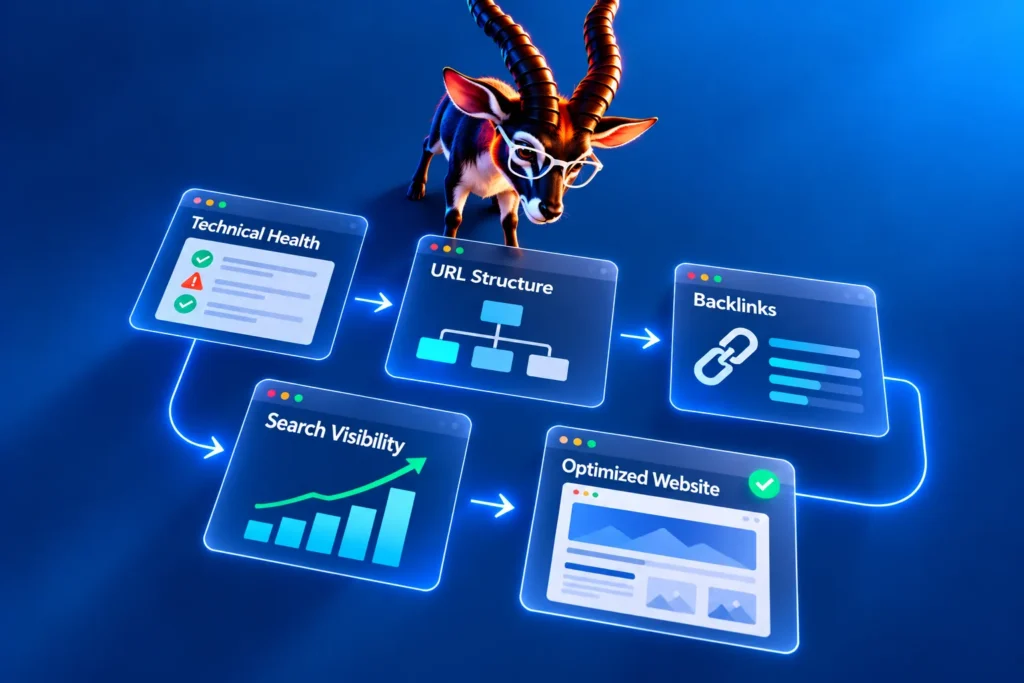
At a minimum, I’d look at:
Business
- What has changed?
- Who are you targeting?
- What are you selling?
- Where do you want the business to go?
Search
- What keywords are driving traffic?
- Which pages rank?
- Which URLs receive organic visits?
- What has declined?
- What has improved?
Content
- Which pages are valuable?
- Which are obsolete?
- Which need rewriting?
- What content is missing?
Architecture
- Is the navigation logical?
- Are important services easy to reach?
- Are pages organised around user intent?
Technical
- What platform is being used?
- What plugins and integrations exist?
- Is the technology maintainable?
- Is the website fast?
- Is it mobile-friendly?
Security
- Is the software current?
- Are there suspicious users or files?
- Are backups reliable?
- Is the hosting environment appropriate?
Conversion
- Where do enquiries happen?
- What pages generate them?
- Are calls and forms being tracked?
- Are visitors given clear next steps?
Only after looking at those things would I decide whether the website should be:
Optimised.
Redesigned.
Or rebuilt.
The Cost Question: How Much Should a Redesign Cost?
This is where business owners often get trapped by a single number.
They ask:
“How much does a website redesign cost?”
The honest answer is:
It depends on what you’re actually redesigning.
Changing the visual layer of a small five-page website is one project.
Rearchitecting a 300-page website with existing organic traffic, redirects, content migration, technical SEO and integrations is an entirely different project.
I’ve gone deeper into the economics of this in How Much Does Website Redesign Cost in Bangalore?.
The important lesson is that you shouldn’t compare two redesign quotations simply because both say:
“Website redesign.”
They may represent completely different scopes of work.
The Most Expensive Redesign Is the One That Destroys What Was Already Working
This is the part I wish more businesses considered.
Imagine spending ₹1 lakh, ₹2 lakh or ₹5 lakh rebuilding a website.
The new site looks fantastic.
But:
- Important URLs disappeared.
- Rankings declined.
- Content was lost.
- Redirects weren’t implemented properly.
- Internal links were broken.
- Conversion pages disappeared.
- Analytics weren’t configured.
- Search Console wasn’t monitored.
The business has paid for a new website and accidentally destroyed some of the value of the old one.
That’s not a successful redesign.
It’s a migration failure.
Google specifically recommends URL mapping, redirects, updated internal links, updated sitemaps and monitoring during URL-changing migrations.
What I Would Preserve During a Redesign
I would think about the old website as an asset inventory.
Preserve, where valuable:
High-performing URLs
Organic traffic
Ranking keywords
Backlinks
Useful content
Strong landing pages
Customer reviews
Conversion data
Internal linking relationships
Brand equity
Search visibility
Then improve the things that are holding the website back.
That sounds obvious.
It isn’t.
A surprising number of redesign projects begin with:
“Let’s start from scratch.”
I prefer:
“Let’s first understand what we already own.”
When I Would NOT Recommend a Rebuild
This is important because there are situations where rebuilding would be unnecessary.
If your website:
- Has a sound architecture
- Is secure
- Works well on mobile
- Loads reasonably well
- Has useful content
- Has healthy search visibility
- Has functioning conversion paths
- Uses maintainable technology
- Can be updated easily
then perhaps you don’t need a new website.
You may simply need:
Better content.
Better SEO.
Better conversion paths.
Better performance.
A visual refresh.
Better maintenance.
There is no prize for rebuilding a website unnecessarily.
When I Would Seriously Consider a Rebuild
I’d become much more interested in rebuilding when several fundamental problems appear together.
For example:
- The business has significantly changed.
- The website architecture no longer reflects the business.
- The technology is outdated.
- The website is difficult to maintain.
- Security is questionable.
- Mobile experience is poor.
- Performance is poor.
- SEO architecture is weak.
- Conversion paths are unclear.
- Important content is trapped in the old structure.
- The website has accumulated years of technical debt.
- The business needs capabilities the current architecture cannot reasonably support.
At that point, repeatedly patching the old site may cost more than rebuilding it properly.
Don’t Let a Redesign Become a Vanity Project
There is a temptation during redesigns to add everything.
More animation.
More video.
More effects.
More sliders.
More technology.
More integrations.
More “wow”.
But ask:
Does this help the customer?
Does it improve understanding?
Does it improve usability?
Does it improve conversion?
Does it improve maintainability?
Does it support the business?
If not, why is it there?
A website isn’t a technology exhibition.
It’s a business tool.
One of the Biggest Lessons I’ve Learned
I’ve worked on websites for more than two decades.
And the biggest lesson isn’t about WordPress.
Or CSS.
Or JavaScript.
Or SEO.
Or design trends.
It’s this:
The website should follow the business strategy, not the other way around.
If the business changes, the website may need to change.
If the audience changes, the website may need to change.
If search behaviour changes, the architecture may need to change.
If technology becomes unmaintainable, the platform may need to change.
But if none of those things have happened, rebuilding simply because the website is “old” may not make sense.
So, Does Your Hubli Business Need a New Website?
Here’s the simple test.
Ask yourself:
1. Does the website accurately represent the business today?
2. Does it work properly on mobile?
3. Can visitors immediately understand what you do?
4. Does the website support your current search strategy?
5. Are important services represented by useful pages?
6. Do you know which pages bring organic traffic?
7. Do you know which pages generate enquiries?
8. Is the technology still maintainable?
9. Are WordPress, plugins and themes properly maintained where applicable?
10. Are backups working?
11. Is the website secure?
12. Can your team update normal content without constantly calling a developer?
13. Has the website accumulated technical debt?
14. Has the business outgrown the current architecture?
15. Are you planning a domain or URL change?
16. Are competitors winning customers online because their websites do things yours cannot?
17. Can the current website support the next three years of the business?
If you’ve answered “no” to several of these, it may be time to investigate a redesign.
Not necessarily order one.
Investigate first.
And Here’s the Question I Would Ask Before Signing the Project
Don’t ask only:
“How much will the new website cost?”
Ask:
“What happens to everything the old website has already earned?”
That’s the question many redesign proposals don’t discuss.
What happens to the URLs?
What happens to rankings?
What happens to backlinks?
What happens to content?
What happens to traffic?
What happens to conversion data?
What happens to Search Console?
What happens to analytics?
What happens to old pages?
What happens to redirects?
What happens after launch?
Those questions matter.
A Website Is Not Successful Because It Was Relaunched
This is something I’ve become increasingly convinced of after all these years.
Launch day is easy to celebrate.
The new homepage appears.
The animations work.
The client approves the screenshots.
The project gets marked “complete”.
But that’s not where success is measured.
Success comes later.
When customers can find you.
When visitors understand you.
When search engines understand your website.
When enquiries increase.
When the business can update its content.
When the website remains secure.
When the architecture can evolve.
When the next change doesn’t require rebuilding everything again.
That’s the real test.
The Right Question Isn’t “How Old Is My Website?”
A three-year-old website can be obsolete.
A ten-year-old website can still contain valuable assets.
Age is a clue.
It isn’t a diagnosis.
The better question is:
“Is this website still capable of supporting where my business is going?”
If yes:
Optimise it.
If partly:
Redesign it.
If no:
Rebuild it.
And if you don’t know:
Audit it first.
Final Thought
I’ve been around the web since 2001.
I’ve watched technologies disappear, platforms rise and fall, design trends come and go, and businesses rebuild their websites more times than they probably needed to.
One principle has remained surprisingly consistent:
Don’t rebuild a website because somebody tells you that it looks old.
Rebuild it because the business has outgrown the website.
And when you do rebuild it, don’t throw away the history that made the old website valuable.
Understand it.
Measure it.
Preserve what works.
Fix what doesn’t.
Then build the next version properly.
Because a good website redesign isn’t really about creating a newer website.
It’s about creating a better business asset.
About the Author

I’ve been working in web design, web development, SEO and web architecture since 2001.
I’ve worked through multiple generations of the internet—from static HTML and early search engines to responsive websites, WordPress, ecommerce, modern web applications and today’s AI-assisted development landscape.
Over the years, I’ve learned to look at websites not simply as designs, but as systems involving business strategy, content, search, architecture, technology, usability and conversion.
That’s why I don’t believe every old website needs to be rebuilt.
Sometimes it needs to be fixed.
Sometimes it needs to be redesigned.
And sometimes it genuinely needs to go.
The difficult part is knowing which one.
— Vikas Solanke
Hubli-Dharwad, Karnataka
Planning a website project?
See our work or tell us what you're building.